Transcription that never leaves your computer.
Lunosia turns speech into text with a model running inside your own browser. No account, no upload, no server to send anything to — which is why it still works with your internet switched off.
99 languages free · $19 once for everything else · no subscription, ever
Verify it yourself
Don't take our word for it.
Every transcription tool says it respects your privacy. The difference here is that you can check in about thirty seconds, without trusting anyone — us included.
Load the app once. It downloads the speech model, then caches it on your machine. That is the only network request Lunosia ever makes.
Turn off your wifi. Unplug the cable. Go offline completely.
Record, transcribe, summarise, export. It all still works. A tool that phones home cannot do that, and no policy wording substitutes for it.
A closer look
Built for the recordings people actually make.
Every one of these exists because it broke here first.
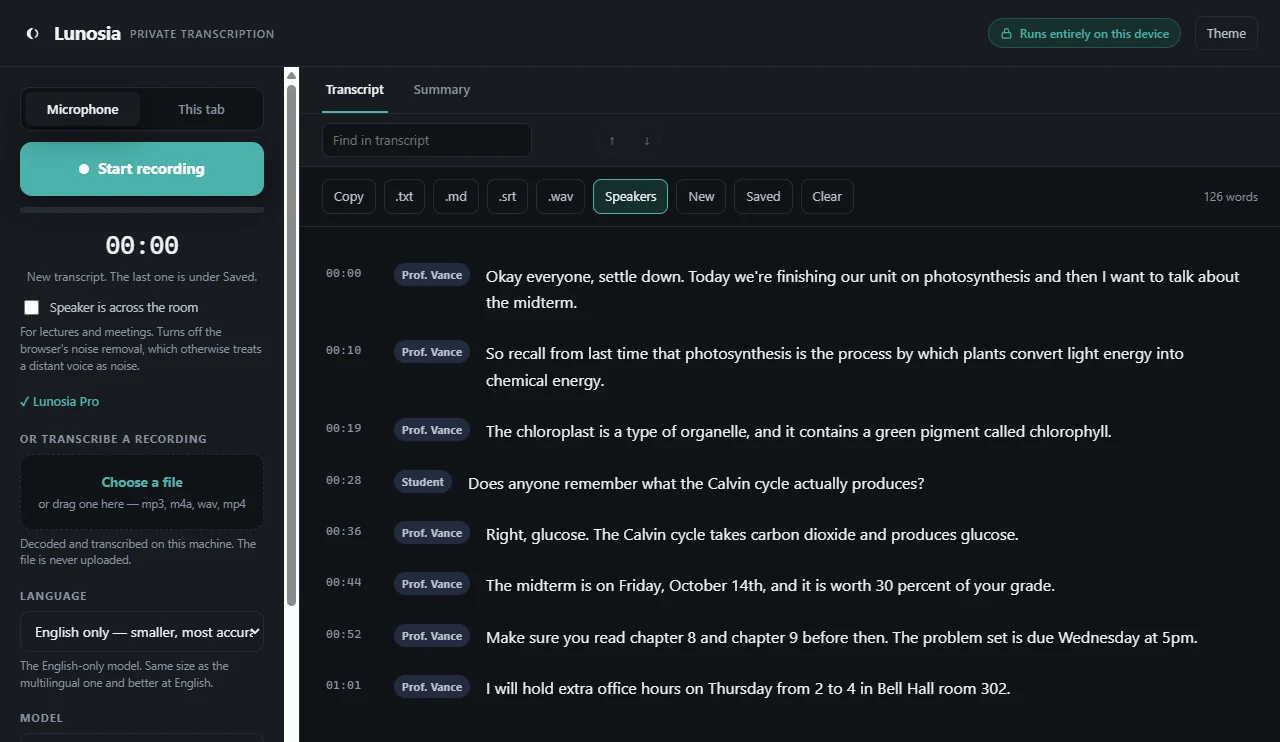
Speakers on the far side of the room
A lecturer three rows back arrives far quieter than someone at the laptop, and most tools discard that as silence. Lunosia measures against the room's own noise floor instead of a fixed cutoff, so distance stops deciding whether you get a transcript. Speaker labels keep an interview readable afterwards.
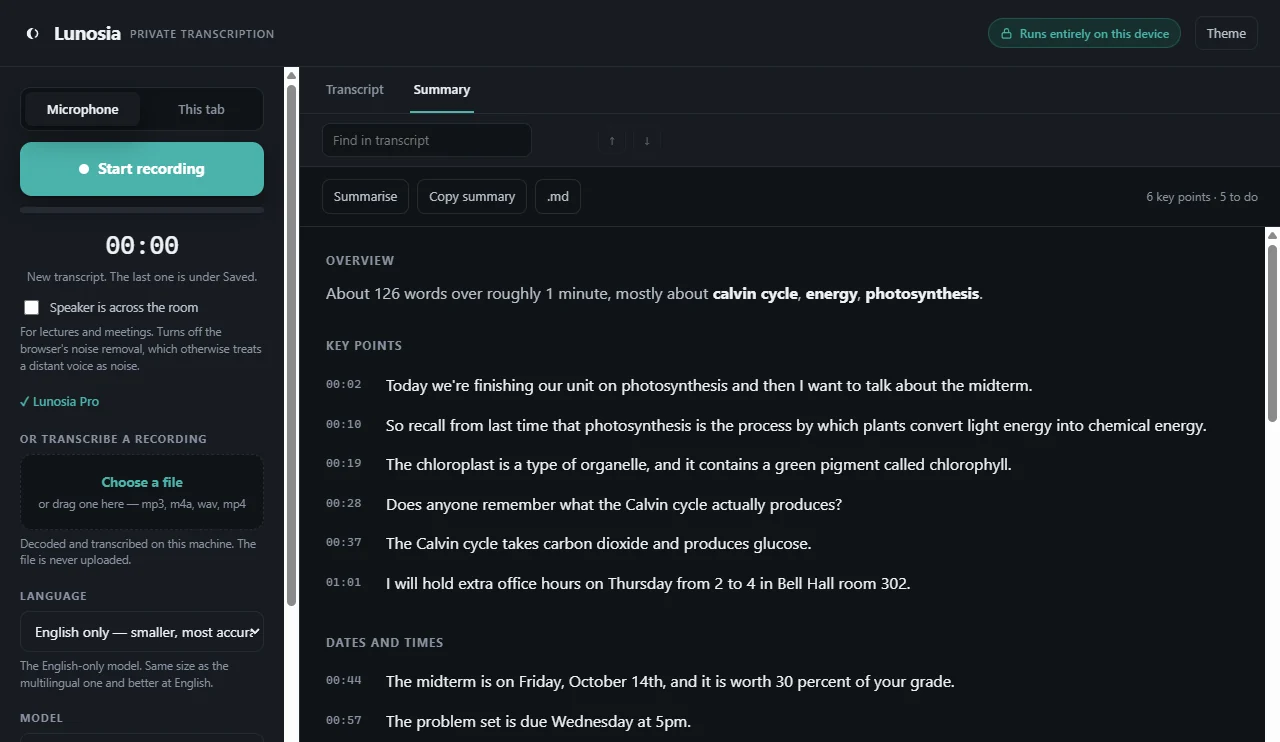
The summary quotes — it doesn't paraphrase
Key points, dates and deadlines, definitions and questions asked, pulled out as real sentences that were really said. An exam date stays the exam date, because nothing rewrote it. Click any line to hear that exact moment back.
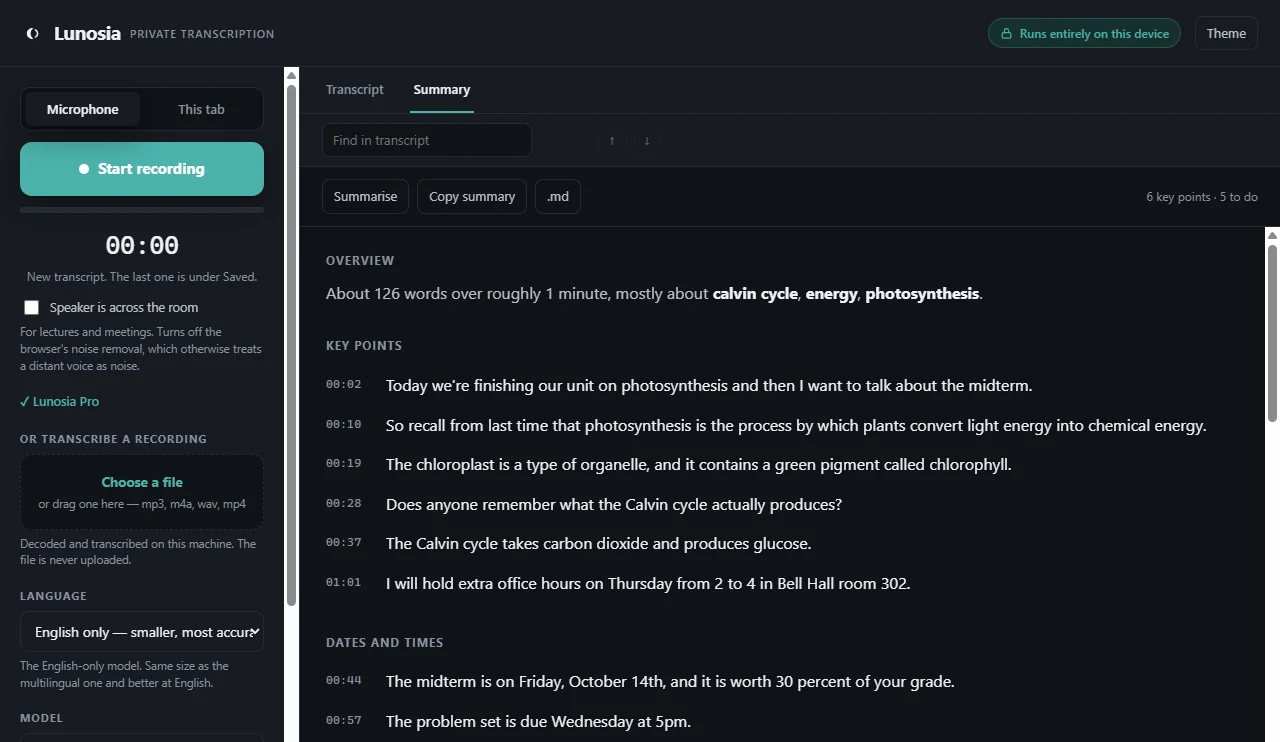
Further reading, without sending your transcript anywhere
Lunosia works out the main topics and offers reference links for each. The links are assembled on your machine from words already in your own text — nothing is transmitted when they appear, and if you click one, only that single word leaves.
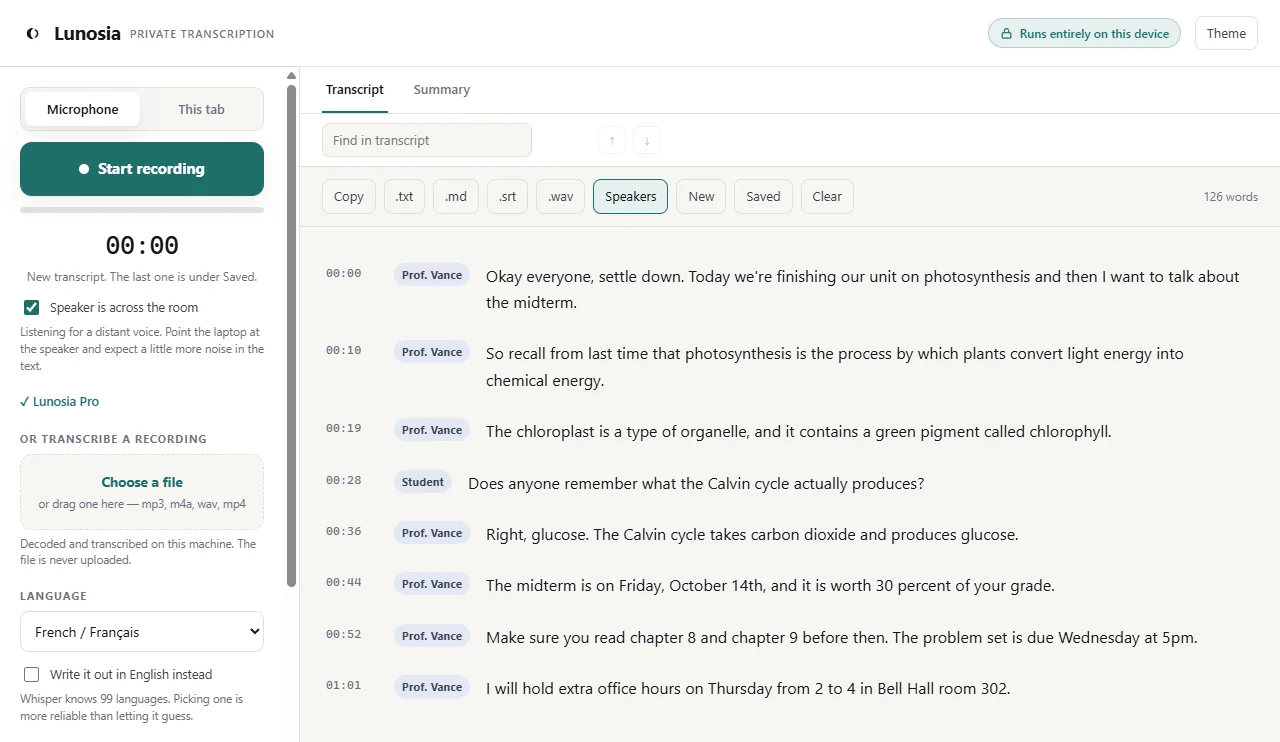
99 languages, or translated into English
Transcribe in the language spoken, or have any of the ninety-nine come out as English text. A French podcast in, an English transcript out, still with nothing leaving the machine.
Who it's for
People who can't send the recording anywhere.
For some of these, uploading audio to a third party isn't a preference. It's a breach.
Students
Record from the back row. Get the exam date, the chapters and the deadline pulled out for you. Keep a whole semester without paying monthly.
Journalists
Interviews with sources who agreed to talk to you — not to a cloud provider's subprocessors.
Therapists and lawyers
Session and client notes where confidentiality is a professional obligation, and "we don't look at your data" isn't a sufficient answer.
Anyone working across languages
Ninety-nine of them, plus translation into English for when you need to understand rather than quote.
Pricing
One payment. Not a subscription.
There are no servers behind Lunosia, so there are no running costs to recover. Charging monthly would be rent, not a price.
Free
$0
No account. Nothing to cancel.
- Record from your microphone
- All 99 languages
- Across-the-room mode for lectures
- Play back any line to check it
- Saved transcripts, find and replace
- Export as .txt and .md
Pro
$19 once
Yours permanently. Works offline.
- Transcribe files you already have
- Capture audio from any browser tab
- The Summary tab
- Subtitles as .srt and .vtt
- Speaker labels
- Save the recording as .wav
- The most accurate model
Questions
The things people ask first.
If there's no server, how does it transcribe?
An open-source speech model — OpenAI's Whisper — runs directly in your browser using WebAssembly and your GPU. It downloads once, between 42 and 261 MB depending on the size you choose, and is cached afterwards. Your own computer does the work a cloud service would otherwise charge you monthly for.
What happens to my recordings?
Audio is held in memory so you can play a line back and check it, then discarded when you close the tab — unless you deliberately export it. Transcripts are saved in your own browser's storage. Nothing is uploaded, because there is nowhere to upload it to.
Is it actually accurate?
It's Whisper, the same model family many paid services run behind their APIs. The accurate model handles technical vocabulary and names well. It isn't perfect — which is why every line is editable, clickable to replay, and searchable, so fixing something takes seconds instead of a re-listen.
Do I need an account?
No, and there isn't one to make. Buying Pro gives you a licence key that unlocks the app on your machine. No email required, no login, and nothing to be breached later.
How long can a recording be?
There's no limit on transcript length. Playback keeps the first 90 minutes of audio in memory, which covers a standard lecture or interview.
What if I lose my licence key?
Email your receipt and it gets reissued. Keys are tied to the purchase, so it's a lookup rather than a support ticket.
Try it before you decide anything.
The free version transcribes real recordings in ninety-nine languages, and there's no sign-up between you and it.